 macOS 14+ · Apple Silicon
All your glanceable widgets, living in your Mac’s notch.
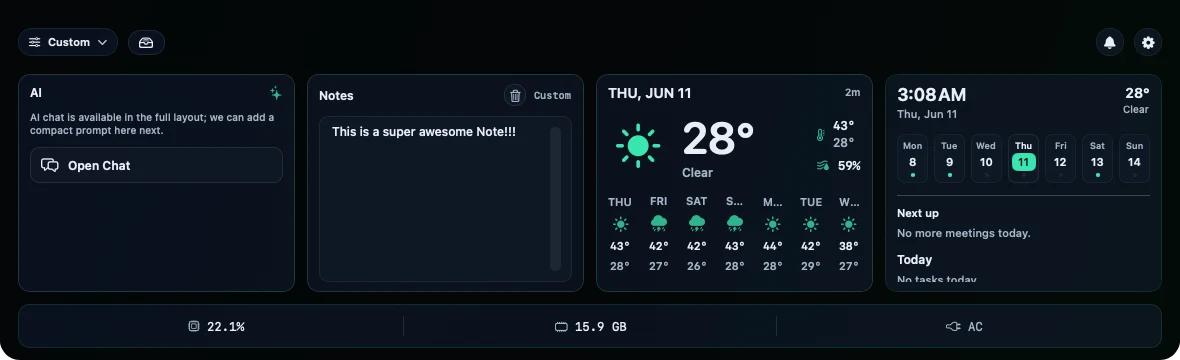
Weather, clipboard, tasks, timers, market tickers, and an AI chat — always one glance away in the notch and menu bar. Hover to expand, click to act. No app-switching, no broken focus.
Why TopDeck
Glance, don’t switch.
The notch and menu bar sit empty all day. TopDeck puts the things you check constantly up there — so you stop Cmd-Tabbing away from what you’re actually doing.
One deck, not twelve apps.
Weather app, clipboard manager, pomodoro timer, ticker widget, AI client… replaced by one tidy, native deck. Install only the widgets you want.
No notch? No problem.
On a notch Mac it lives in the notch; on any other Mac it lives in the menu bar. Built for people who live on their Mac — power users and developers.
AI Cockpit
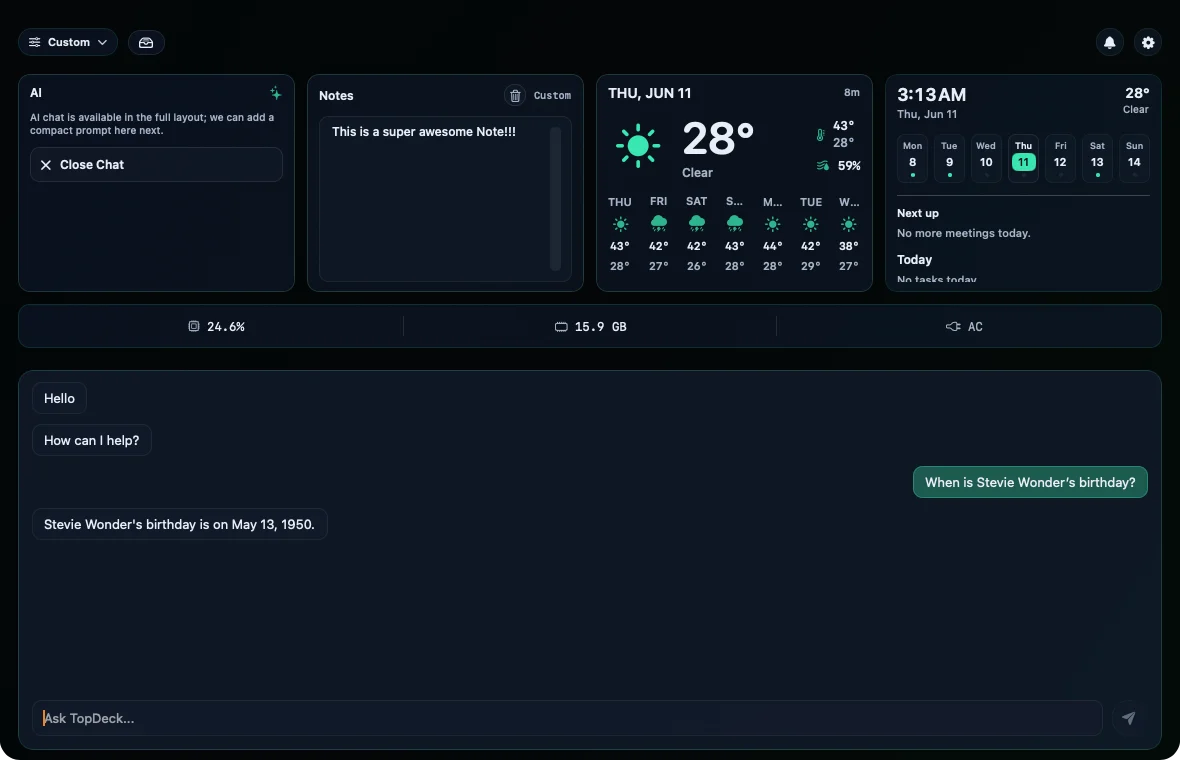
AI in your Mac’s menu bar
Chat with GPT, Claude, Gemini, or anything on OpenRouter using your own API key — or run models fully on-device with Ollama, private and free. Track your token spend at a glance, and approve Claude Code’s tool requests right from the notch without leaving your terminal flow.
Cloud Sync · Pro
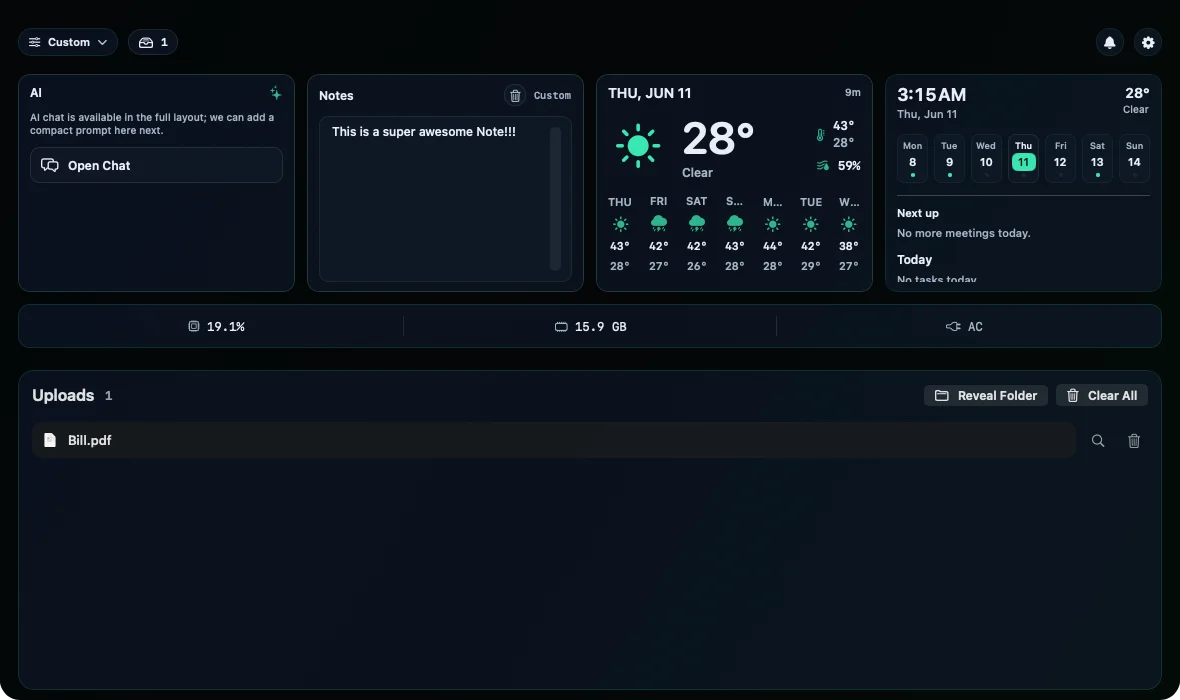
Sync files between your Macs
Drop a file into the notch on your laptop, grab it on your desktop seconds later. Optional end-to-end encryption means only you can read what you send — not even we can. Your Kanban boards and journal sync automatically too.
Notch & menu bar widgets for whatever you glance at
Mix and match, rearrange anytime. Your deck, your layout.
Weather
Today’s forecast, no app to open.
World Clock
Track the timezones that matter.
Clipboard
Recent copies, one tap to reuse.
Todo & Reminders
Today’s tasks in the notch.
Pomodoro
Focus timer that lives up top.
Kanban
A tiny board for what you’re shipping.
Journal
Jot a thought before it’s gone.
Launcher
Your apps, one click away.
Market Tracker
Watch tickers without a tab.
RSS
Headlines as they drop.
Ambient Sounds
Rain, focus, calm.
AI Chat
Any model, your key — or fully local.
How TopDeck compares
Looking at notch apps and menu-bar utilities? Here’s where TopDeck lands.
| Feature | TopDeck | Typical notch apps | Menu-bar managers |
|---|---|---|---|
| Glanceable widgets in the notch | ✓ | some | ✕ |
| Also works in the menu bar (no-notch Macs) | ✓ | rare | yes |
| Built-in AI — your key, local, or managed | ✓ | ✕ | ✕ |
| Cloud sync between your Macs (E2EE) | ✓ | ✕ | ✕ |
| Pricing | $19.99 once | often $/mo | varies |
| Your data stays on your Mac | ✓ | varies | varies |
Categories shown for comparison; individual apps vary. TopDeck is one tidy native app, not twelve background utilities.
One purchase. Pro is optional.
Most notch apps are free because you’re the product — or a subscription forever. TopDeck is $19.99 once: buy it, own it, done. Pro sync is the only optional subscription, and you never need it.
Buy TopDeck
One-time$19.99
once — own it forever
- ✓All core widgets
- ✓AI chat (your key / local)
- ✓Notarized by Apple
- ✓Free auto-updates
14-day free trial · no credit card · start free
Want more? Add Pro — $4.99/mo
optionalAfter you own TopDeck, subscribe to Pro from the app’s settings to add:
- ✓Cloud Sync (end-to-end encrypted)
- ✓Built-in TopDeck AI (no key)
- ✓All Pro widgets
- ✓Premium themes
The app is yours forever whether or not you ever add Pro. Cancel Pro anytime — you keep TopDeck.
Secure checkout via Polar (Merchant of Record) — VAT/tax included.
Built by an indie developer, not a data company
TopDeck is a Stevinator app — made by one developer who got tired of menu-bar clutter. No VC, no ads, no data harvesting. Your data stays on your Mac, your AI keys live in the Keychain, and cloud sync is optional and end-to-end encrypted. Questions? Email me directly: info@stevinator.com.
TopDeck FAQ
Does it work on a Mac without a notch?+
Yes. On Macs with a notch, TopDeck lives in the notch; on every other Mac it lives in the menu bar. Same widgets, same app — macOS 14 or later, Apple Silicon.
Will it slow down my Mac?+
No. TopDeck is a native, lightweight macOS app (Apple Silicon, SwiftUI) that sits idle until you glance at it. Widgets only do work when you open them — it’s one app, not twelve background menu-bar utilities.
How does the trial work?+
Download and use everything free for 14 days — no credit card required. After that, buy the app once ($19.99) to keep it, or add Pro for cloud sync and the Pro widgets.
One-time price or subscription?+
You buy TopDeck once for $19.99 and own it forever — that’s the whole app. Pro is entirely optional: if you want Cloud Sync, the Pro widgets, and premium themes, you subscribe ($4.99/mo) from inside the app. There’s no separate Pro checkout, and the app stays yours whether or not you ever add Pro.
Which AI models can I use?+
Bring your own key for OpenAI, Claude, Gemini, or OpenRouter — or run models fully on-device with Ollama (private and free). With Pro, you also get built-in TopDeck AI with no key needed. Your keys stay in your Mac’s Keychain.
Is it safe?+
Yes — notarized by Apple (Developer ID), direct download, no App Store lock-in. Most data lives on your Mac; cloud sync is optional and supports end-to-end encryption, so not even we can read your files.
How do updates work?+
Built-in auto-update — new versions download and install themselves. No App Store, no manual re-downloads.
Reclaim your notch. Try it free.
Download, drag to Applications, open. Free for 14 days — no card, no catch.
macOS 14+ · Apple Silicon · Notarized by Apple · Built by an indie dev who’ll actually reply to your email