 Omarchy · Linux · MIT
Write markdown. Press Ctrl+E. Read it.
Markinator is a markdown editor and reader for Omarchy. One window that swaps between your text and the rendered page, in your Omarchy theme's colors and font.
Why Markinator
One window, one key.
Write markdown. Press Ctrl+E and read it rendered. Press Ctrl+E again and you are back in the text. No split panes, no preview toggles to hunt for.
It looks like Omarchy.
Markinator reads your Omarchy theme colors and font. Switch the theme and the app follows live, without a restart.
Nothing extra.
Open, save, find, export, zoom. It remembers your window size, your place in each file, and your recent files. All of it stays on your machine.
Two modes, one key
Edit, then read
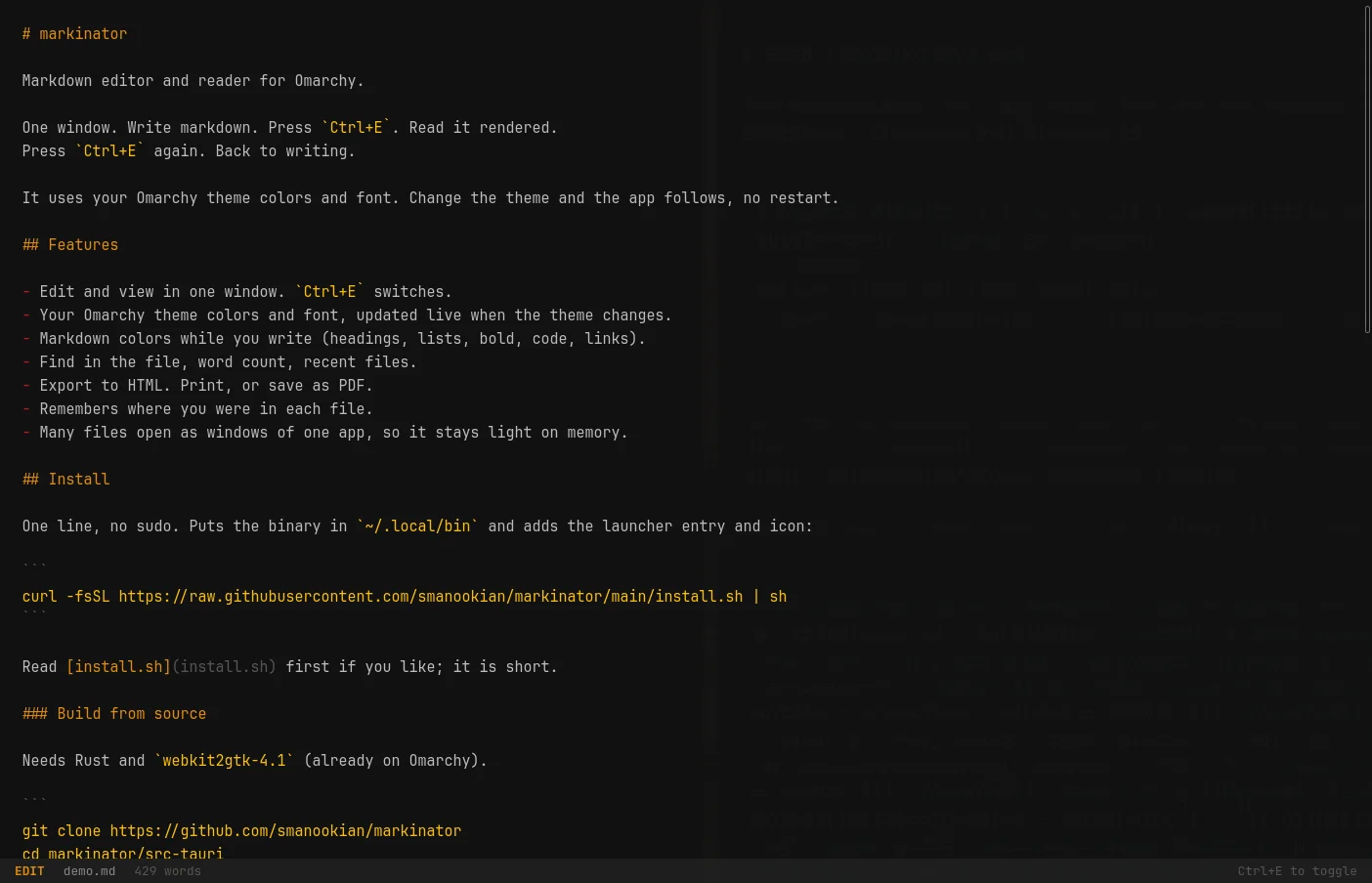
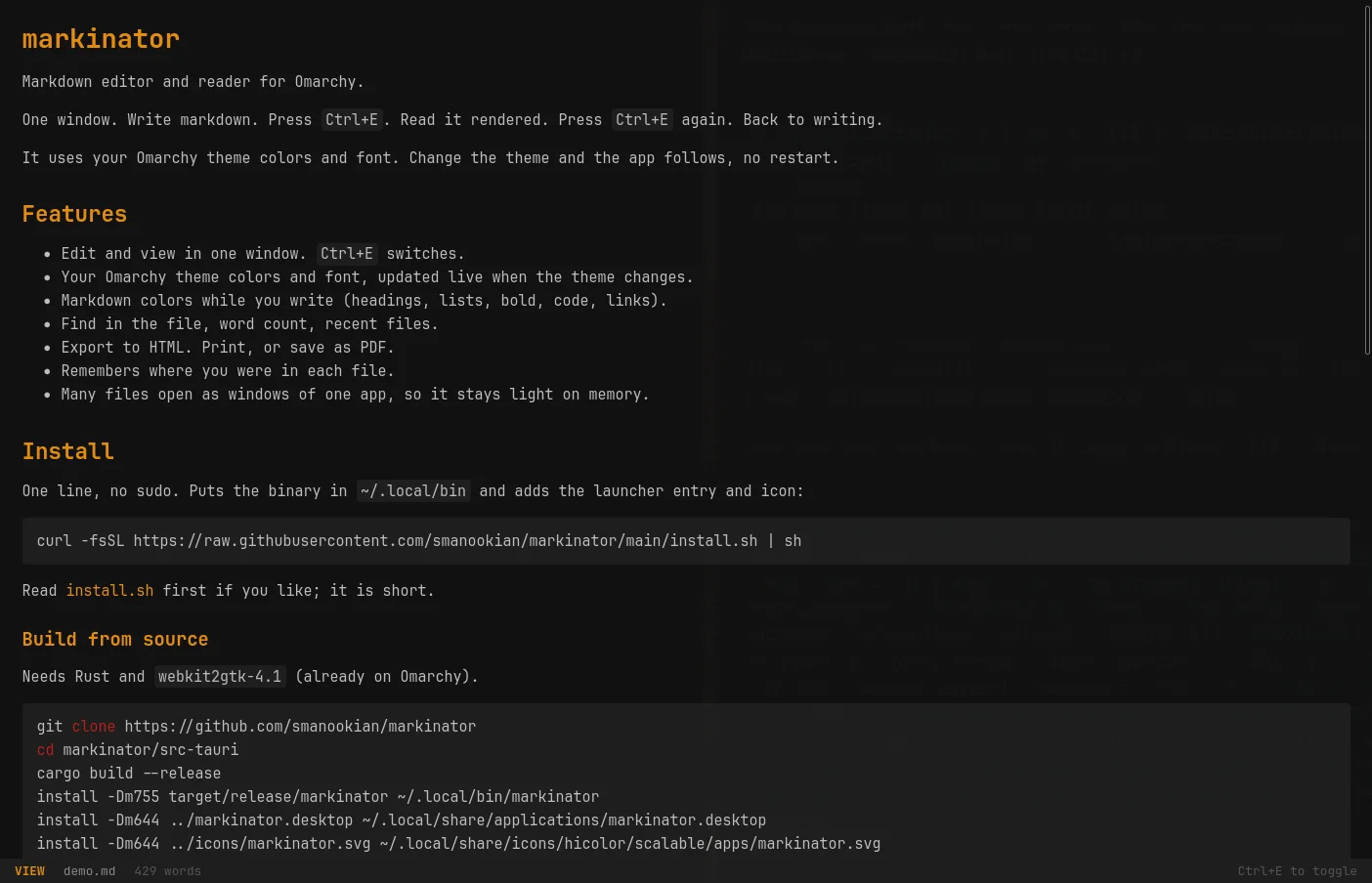
The same file in both modes, captured from the running app on Omarchy with the Matte Black theme. Edit mode colors the markdown; the status bar at the bottom tells you the mode and the word count.
Small on purpose
Everything it does, and nothing it does not.
Edit and view in one window
A plain editor and a rendered reader that swap in place, and keep your place when they do. A file given on the command line opens in view mode; markinator -e opens it in edit mode.
Follows your Omarchy theme
Colors and font come from the active Omarchy theme and update live when you change it.
Markdown colors while you write
Headings, lists, bold, code, links, and quotes get theme colors in edit mode. Only colors change, so the cursor always lines up.
Find, recent files, word count
Ctrl+F finds in both modes. Ctrl+R lists the last 10 files you opened. The status line shows the word count.
Export and print
Ctrl+Shift+E saves one HTML file that looks like view mode. Ctrl+P prints, or saves a PDF, in light colors on white.
Remembers your place
Close a file and open it again: you are back where you were. Kept for the last 100 files, on your machine only.
Links that make sense
http(s) links open in your browser. Links to other .md files open in the same window.
Light on memory
Every file you open becomes a window of one running app. Windows share one web engine, and idle windows use no CPU.
Made for window rules
The window class is markinator, so a Hyprland rule can pin it to a workspace, float it, or size it however you like.
Install
One line
Paste it in a terminal on Omarchy. No sudo. It puts the binary in ~/.local/bin and adds Markinator to your app launcher.
Prefer to build it yourself? The source build steps are in the README. Want it to open .md files by default? xdg-mime default markinator.desktop text/markdown.
curl -fsSL https://raw.githubusercontent.com/smanookian/markinator/main/install.sh | shShort script, read it first if you like.
markinator               # empty document
markinator notes.md      # open a file
markinator -e notes.md   # open it in edit mode
Keys
Everything is a shortcut
Ctrl+EToggle edit / viewCtrl+OOpenCtrl+SSaveCtrl+Shift+SSave asCtrl+NNew documentCtrl+RRecent filesCtrl+FFind (Enter next, Shift+Enter back, Esc close)Ctrl+PPrint, or save as PDF ("Print to File")Ctrl+Shift+EExport as HTMLCtrl+QClose windowCtrl++ / Ctrl+- / Ctrl+0Zoom in / out / resetTabInserts two spaces in edit mode
Open source and inspectable
Markinator is Rust and plain HTML, CSS, and JavaScript on Tauri 2, about 1,500 lines in all, published under the MIT license. Read it, report an issue, or change it to suit you.
Markinator FAQ
What is Markinator?+
A small markdown editor and reader for the Omarchy desktop. You write in one window and press Ctrl+E to see it rendered. It uses your Omarchy theme colors and font.
Which systems does it run on?+
Omarchy, which is Arch Linux with Hyprland on Wayland. It needs webkit2gtk-4.1, which Omarchy already ships. It has not been tested elsewhere.
How do I install it?+
Paste one line in a terminal: curl -fsSL https://raw.githubusercontent.com/smanookian/markinator/main/install.sh | sh. It downloads the latest release binary to ~/.local/bin and adds the launcher entry and icon, no sudo. Run it again to update. Source build steps and an Arch PKGBUILD are in the repository.
How do I make it the default for .md files?+
Run xdg-mime default markinator.desktop text/markdown. On Hyprland, xdg-open may still report .md files as text/plain; installing perl-file-mimeinfo fixes that. gio open works without it.
Can I export to PDF?+
Yes. Press Ctrl+P and pick "Print to File" in the print dialog. It prints the rendered page in light colors on white. Ctrl+Shift+E exports a single HTML file instead.
Does it store anything?+
Only on your machine: the window size, your place in the last 100 files, and the list of your last 10 files. No settings file, no telemetry, nothing leaves your machine.
Is it open source?+
Yes. Markinator is on GitHub under the MIT license.
Your notes, in your theme.
Free, MIT licensed, one binary. Built for Omarchy.
Omarchy · Arch Linux · Hyprland · Wayland