Writing / programming
Markinator: A Markdown Editor That Follows Your Omarchy Theme
One window. Write markdown, press Ctrl+E, read it rendered. Markinator uses your Omarchy theme's colors and font and switches with it live. Free, open source, one binary.

So here is a small one.
I searched for a small, fast markdown app that can edit and view with one shortcut. I did not find one on Omarchy — only workarounds.
So I built one. That is Markinator.
Update, October 2026: Markinator is at version 0.1.9 now. New since the first release:
- Markdown colors while you write, in your theme.
- Find in the file (
Ctrl+F), recent files (Ctrl+R), and a word count. - Export to HTML (
Ctrl+Shift+E). Print, or save as PDF (Ctrl+P). - It remembers where you were in each file.
- Every file you open is a window of one app, so a dozen open notes use about 40% less memory than before.
If you installed an older version, run the install line again to update.
What it does
One window. You write markdown. You press Ctrl+E and the same window shows it rendered. Press Ctrl+E again and you are back in the text. The status bar at the bottom always says which mode you are in.
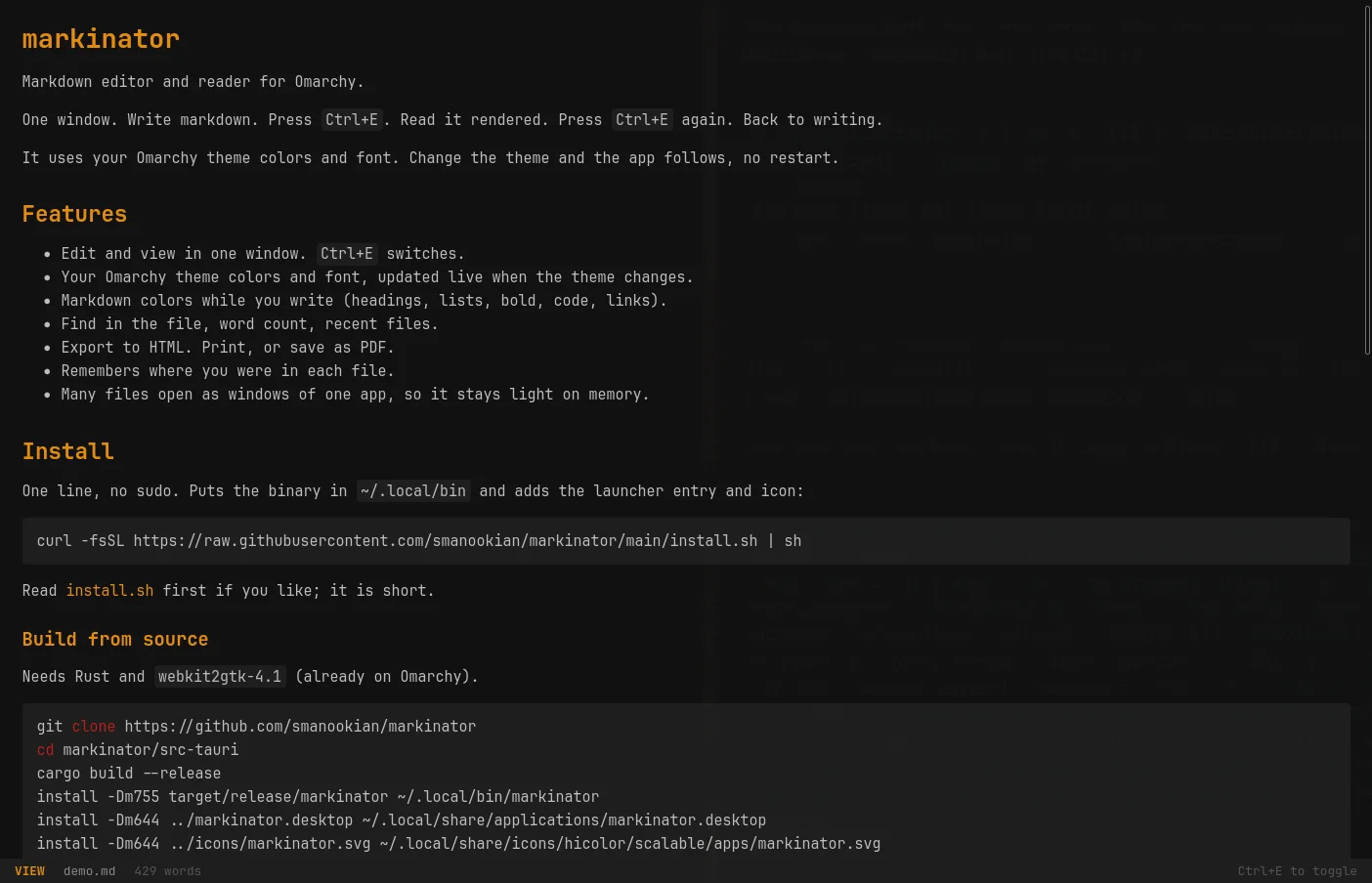
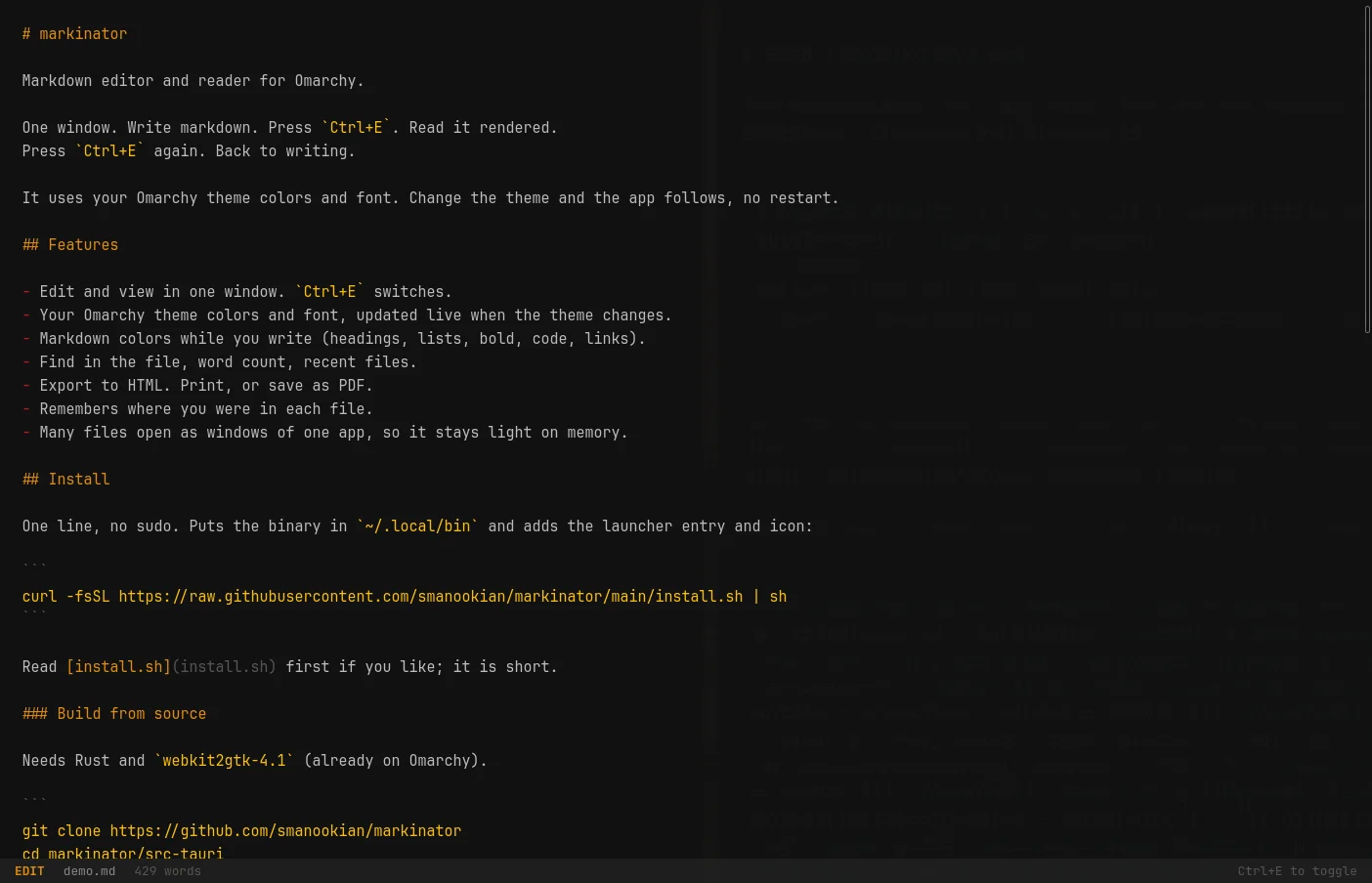
The part I care about most: it reads your Omarchy theme colors and font. Change the theme and the app follows, no restart. The screenshots above are the Matte Black theme; switch to another one and Markinator switches with it.
The rest is short on purpose:
http(s)links open in your browser. Links to other.mdfiles open in the same window.- If the file changes on disk and you have no unsaved edits, it reloads.
- It remembers the window size, your place in each file, and your recent files. All of it stays on your machine.
- Window class is
markinator, for Hyprland window rules.
Open, save, find, export, print, zoom. Every action is a key, and the full list is on the app page.
Install
One line in a terminal on Omarchy. No sudo. It puts the binary in ~/.local/bin and adds Markinator to your app launcher:
curl -fsSL https://raw.githubusercontent.com/smanookian/markinator/main/install.sh | shThe script is short; read it first if you like. Prefer to build from source? The steps are in the README.
To make it the default for markdown files:
xdg-mime default markinator.desktop text/markdownOne Hyprland quirk worth knowing: xdg-open asks file what type a .md file is, and file says text/plain. Install perl-file-mimeinfo and xdg-open notes.md will pick Markinator. gio open notes.md works without it.
Where to find it
- App page, keys, and FAQ: stevinator.com/apps/markinator
- Source and releases: github.com/smanookian/markinator
Rust and Tauri 2, MIT license, about 1,500 lines all in. If it misbehaves on your machine, open an issue.
I hope to see you next time. Steve out. Tschau!