 Node.js 22.19+ · CLI/TUI · MIT
Your AI build team in the terminal.
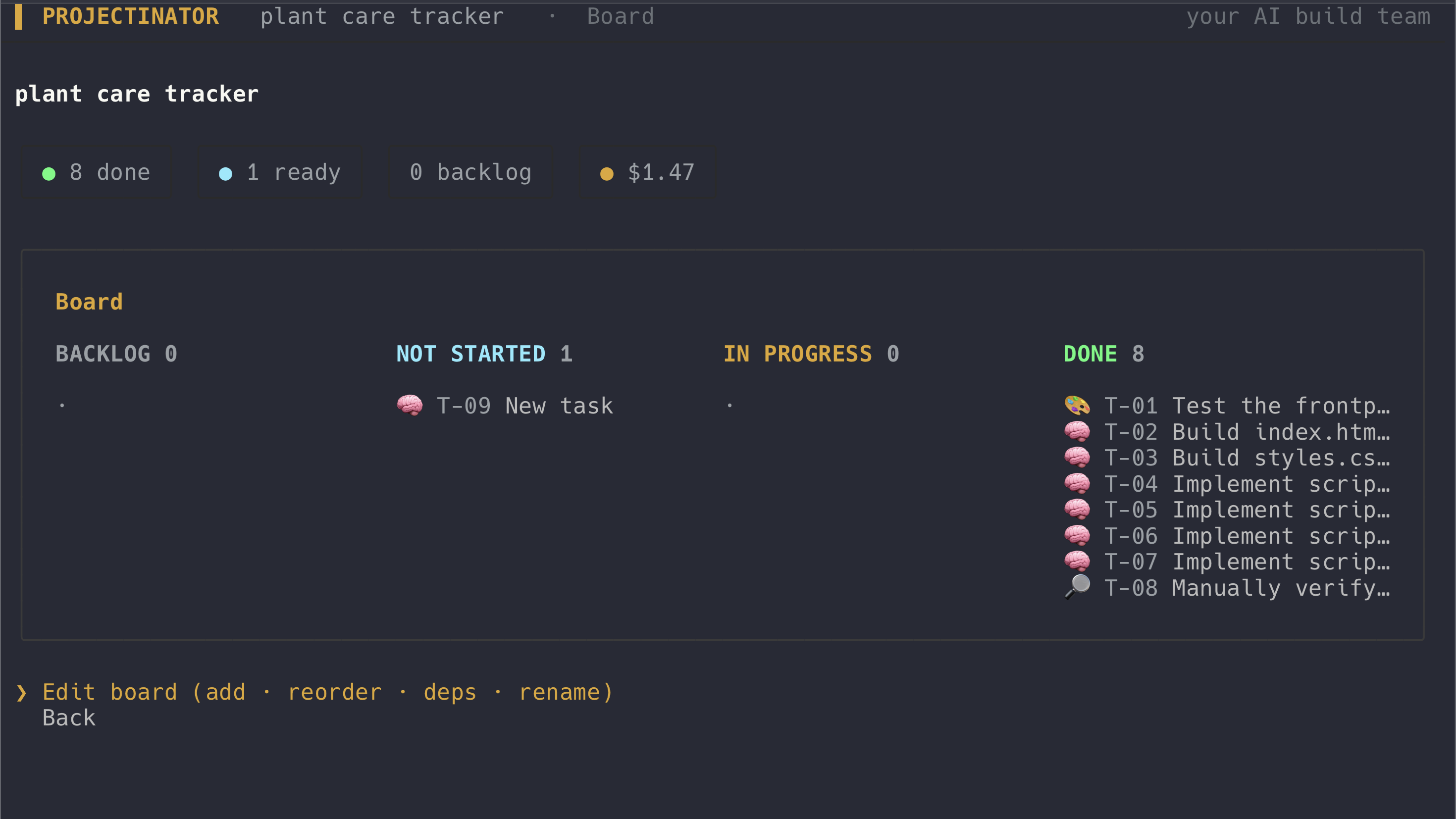
Projectinator turns an app idea into working files. A PM model plans the backlog, role-matched models design and code it, and a tester verifies the result in a headless browser while you follow every task and cost.
Why Projectinator
Plan before coding.
A project-manager model turns your idea into a dependency-aware Scrum backlog. You can review the plan before the build team starts writing files.
Use the right model for each job.
Planning, design, development, and testing route by capability. Assign preferred models yourself or let Projectinator use the configured provider defaults.
Test the result, not the promise.
The tester opens the generated web app in headless Chromium, checks for runtime errors, and sends failures back to the developer for another bounded pass.
Real builds, real numbers
Unedited output, committed in the repo
Three real builds, kept as-is in examples/ — same command, no hand-fixing afterward.
11 tasks · $2.46
Markdown scratchpad
Live preview, localStorage persistence across a reload, a toolbar that wraps the selected text, live word/char count, copy-as-markdown.
View on GitHub →10 tasks · $1.77 · parallel worktrees
Multi-page site
Four linked pages with per-page CSS, a contact form, and a pricing table. Independent code tasks built at once in git worktrees; 3 merge conflicts, all auto-recovered.
View on GitHub →design → 3× code → test · $0.46
Tip calculator
Three separate files (index.html, styles.css, app.js) that run on double-click over file:// and over http. Tester verdict: PASS.
View on GitHub →A quick tour
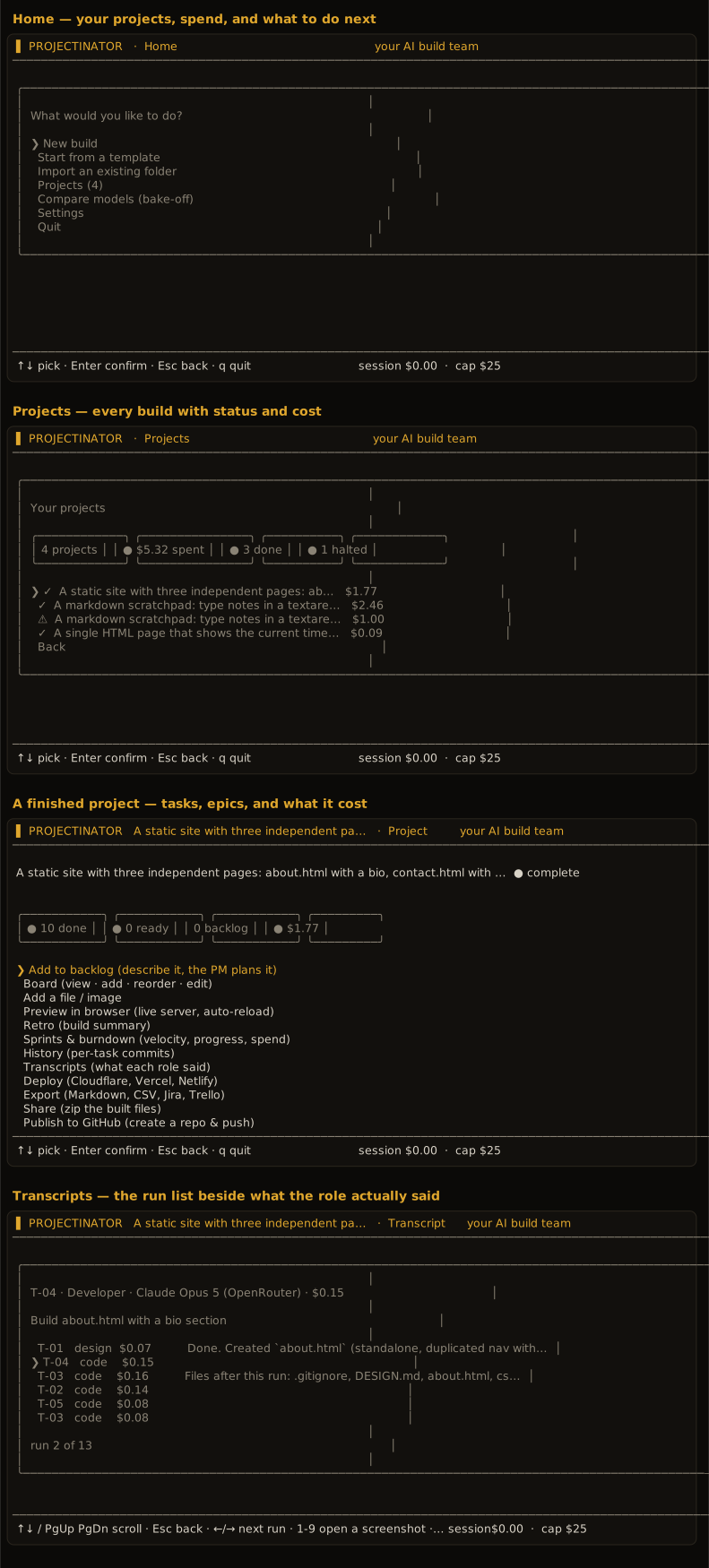
Four real screens
Home, your projects with what each one cost, a finished build, and the transcript viewer — captured from the running app, not mocked up.
Built for observable, controlled runs
The cockpit exposes the work instead of hiding it behind a single progress spinner.
Scrum planning
A routed backlog with epics, task dependencies, editable boards, and quick or deeper council-assisted planning.
Role-based model team
PM, designer, developer, and tester roles can use different Anthropic, OpenAI, Gemini, or OpenRouter models.
Real file generation
The developer works in a local, git-versioned workspace and creates multi-file HTML/CSS/JS or React CDN projects.
Browser test gate
Playwright and Chromium check generated apps over HTTP and file URLs, including JavaScript and console failures.
Reviewer pass
A cheap, read-only model checks each code task's wiring — missing script tags, undefined functions, unresolved imports — before the Tester spends a browser run on it.
Live terminal cockpit
Follow the Kanban board, standup, task status, running spend, and budget from one Ink-based terminal interface.
Cost and budget controls
See provider-reported usage, per-task cost, estimates that self-calibrate, and a cap that halts before projected overspend.
One-click deploy
Ship a finished build to Cloudflare Pages, Vercel, or Netlify through their own CLI and your existing login.
GitHub integration
Publish a build as a new repo, open a pull request for each change, or export the backlog as GitHub issues — through your own gh login.
Install
Start with one command
Projectinator is a CLI, not a library. Run it directly with npm, then add your provider key under Settings and choose New build.
Browser testing and live preview additionally require npx playwright install chromium.
npx projectinatornpm install -g projectinator
projectinatorProviders and cost
Your models. Your budget.
Bring keys for Anthropic, OpenAI, Google Gemini, or OpenRouter. Different roles can use different providers, with model assignments and fallback behavior controlled in Settings.
- Estimates before executionPredicted task cost before the build starts.
- Actual usage while runningProvider-reported token cost by task and session.
- A hard stopping pointThe build halts when projected spend would cross your cap.
- Free local runsPoint Settings → Local models at Ollama or LM Studio to route roles there at $0, no key required.
Local data and execution
Know what runs where.
Keys, build state, cost calibration, templates, and generated workspaces stay on your machine. API requests go directly to the provider you select; Projectinator does not operate an intermediary backend.
Generated code is not sandboxed
Build roles run real shell and file commands as your user. Safe mode is the default and refuses what a build never needs: deleting outside the project folder, reading ~/.ssh or your API keys, sudo, curl | sh, and git push. It's a guard, not a sandbox — inspect generated code before trusting it.
Built in the open
What I got wrong (and fixed)
Shipping this surfaced real bugs. Here's what broke and how it was fixed, in case it's useful to anyone building the same kind of tool.
Cost estimates ran about 2x low
The cost model assumed cached input tokens bill at the cache-read rate. Measured provider bills behave as if there's no discount. Estimates now calibrate on measured dollars per role, difficulty, and model.
A build could report "Complete" with no tester verdict
The feedback loop only reacted to a verdict that failed — not to a missing one. A judge that judges nothing now counts as a failure.
Upgrading the CLI could delete your projects
Storing project data inside the installed npm package meant npm i -g projectinator@latest wiped your builds on every upgrade, not just on uninstall. Project data now lives under ~/.projectinator/, untouched by upgrades.
Open source and inspectable
Projectinator is published under the MIT license. Read the implementation, report issues, or adapt the workflow for your own build process.
Projectinator FAQ
What is Projectinator?+
Projectinator is an open-source terminal app that coordinates AI models as a small build team. It plans a backlog, writes project files, tests web apps, and tracks the work from a live cockpit.
Do I need my own API keys?+
Yes. Add an Anthropic, OpenAI, Google Gemini, or OpenRouter key in Settings. Keys are stored locally in ~/.projectinator/config.json with owner-only permissions.
How much does a build cost?+
You pay your selected AI providers directly for token usage. Projectinator shows estimates before work, provider-reported actual cost while running, per-task spend, and a configurable budget cap.
Can I choose which models it uses?+
Yes. Settings lets you choose a preferred provider and assign models to roles. OpenRouter users can browse its model catalog, and Projectinator can fall back to another configured provider after an error.
Where are generated files stored?+
Each build gets a local workspace that is initialized as a git repository. Projectinator creates a commit for each completed task so you can inspect history or undo work.
How does browser testing work?+
Install Chromium with Playwright to enable the full test and preview workflow. The tester loads the app headlessly over HTTP and file:// and reports runtime or console failures.
Can I stop and resume a project?+
Yes. Build state is saved locally, and finished tasks can be seeded back into a resumed run so completed work is not repeated.
Is generated code sandboxed?+
No. Build roles can use shell and file tools inside the project workspace as your local user. Review generated code and commands with the same care as any code you run locally.
Which systems are supported?+
Projectinator requires Node.js 22.19 or newer. The repository does not currently declare or guarantee a specific operating-system support matrix.
Is Projectinator open source?+
Yes. Projectinator is available on GitHub and npm under the MIT license.
Isn't this just Claude Code or Aider with extra steps?+
Those run one agent in your repo. Projectinator routes a backlog of tasks to different models by role and difficulty, enforces a per-task cost ceiling, and runs a tester that actually executes the result — the bake-off exists because "which model is best for this role" should be measured, not assumed.
Why would I pay for six model calls instead of one?+
Because a fraction-of-a-cent Reviewer pass on a code task catches what a much more expensive Tester run — or a broken app — would catch far later. Cheap roles route to cheap models by default; only planning and code get a stronger tier.
Give your AI team a backlog.
Open source, MIT licensed, and ready to run with Node.js 22.19 or newer.
Node.js 22.19+ · Bring your own API keys · API usage billed by your providers